
What AccountDesk does
From the incoming message to the measured response time: this page walks through the features a support team uses daily — and says what each one actually does.
How do I manage tickets in AccountDesk?
AccountDesk carries every ticket from arrival to resolution: configurable priorities and statuses, assignment to agents or groups, watchers, a complete history and tools for working on many tickets at once.
Priorities
Freely configurable, six levels by default from "very low" to "critical" — levels, names and colours can all be changed.
Status workflows
A default set is provided; statuses, labels and transitions adapt to your process.
Assignment
Distribute automatically or manually, to individual agents or whole groups.
Watchers
Several team members per ticket, so nobody misses a development.
Attachments
Files and images inside the ticket history, with no download detour.
Complete history
Every change stays traceable: who, what, when.
Bulk editing
Change many tickets at once instead of one after another.
Merging tickets
Overlapping requests become one ticket, and the history is preserved.
Reply templates
Recurring answers in one click, with placeholders for names and dates.
Keyboard shortcuts
For every important action, individually configurable.
Custom fields
Any additional data fields for your account, with no programming.
Tags
Structured tags, assigned automatically or by hand.
What AI features does AccountDesk have?
Four features run alongside your work: automatic categorisation, language detection, emotion analysis and draft replies. All four are included in the price per agent.
Analysis on our own servers
Categorisation, language and emotion detection and search run on our own servers in Germany, with no external providers.
Automatic categorisation
Tickets are matched to the right category semantically, with no rules to define.
Language detection
20 languages, detected per message and shown as a marker in the conversation.
Emotion analysis
Up to 28 emotions per message in German and English — from gratitude to frustration.
Draft replies
The AI prepares finished drafts using the language model of Mistral AI (processed in the EU, only if enabled); agents review them and decide whether to send.
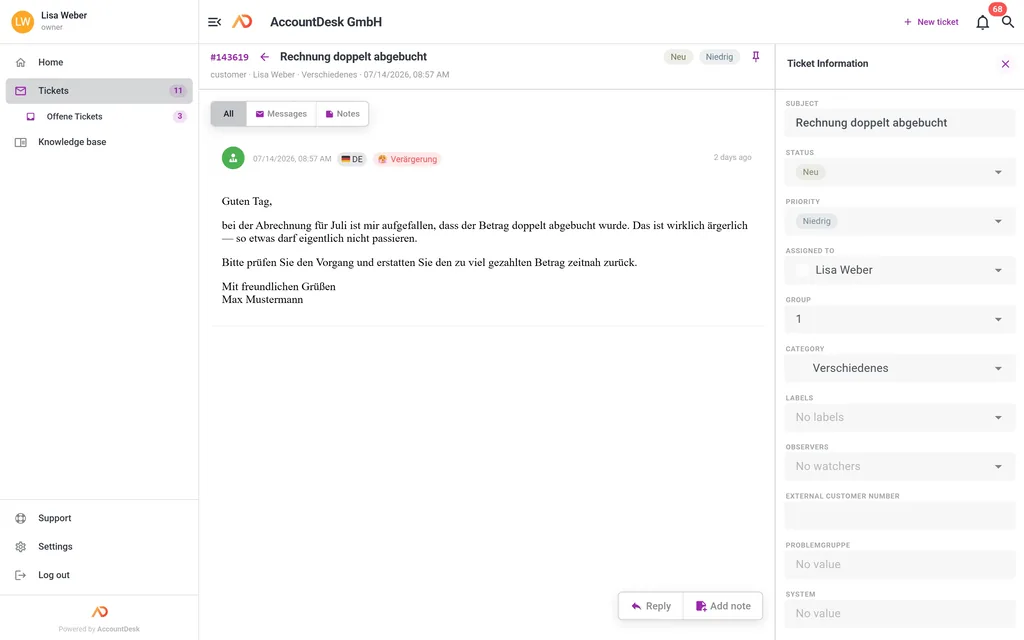
We never send an AI reply without you.
AI gets things wrong. Every reply therefore stays under your agents’ control: the AI writes the draft, a person decides.
How do I find a particular ticket again?
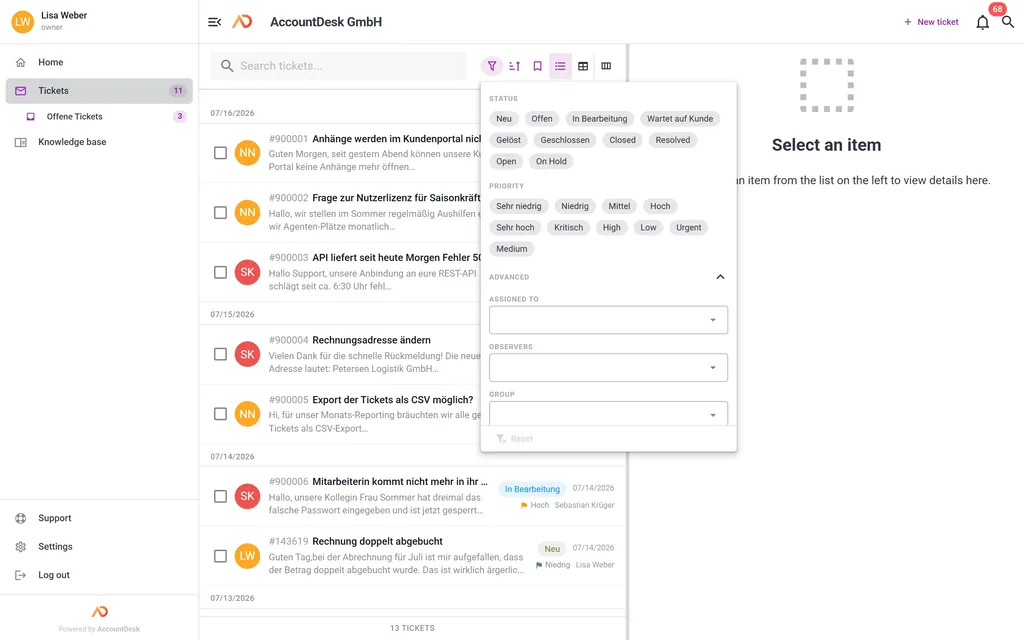
Through a full-text search covering tickets, messages and comments, combined with filters for status, priority, agent, group and custom fields. Saved filters can be shared across the team.
Full-text search
Covers tickets, messages and comments alike.
Advanced filters
Status, priority, agent, group and custom fields can be combined.
Saved filters
Shareable across the team, so everyone sees the same view.
Live updates
New matches appear immediately, without reloading the page.
What does the knowledge base do?
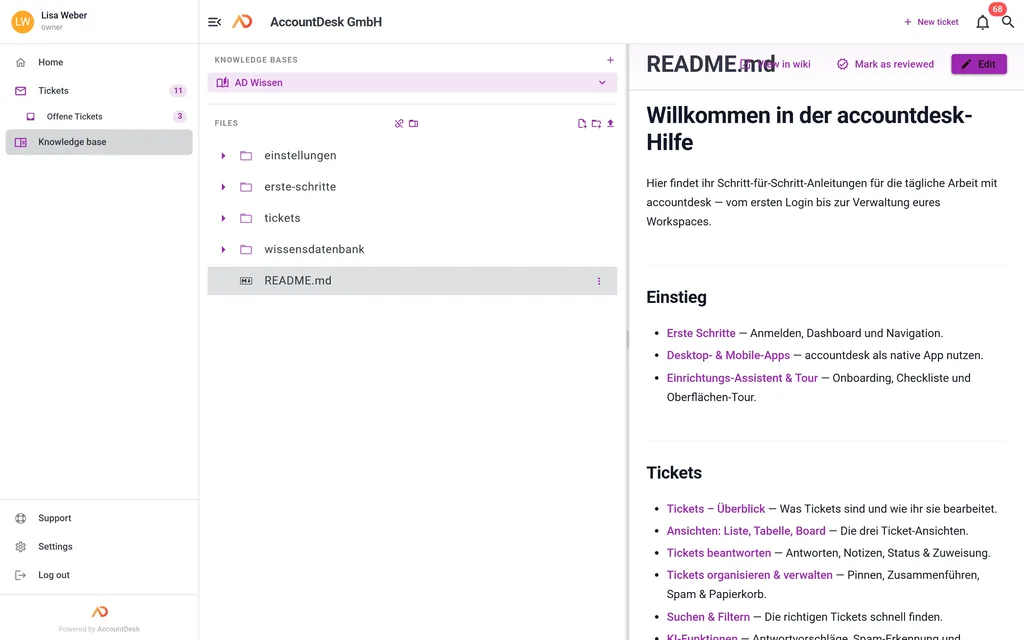
It manages guides and FAQs inside the ticketing system — internally for your team or publicly as a help centre, on your own domain if you want. Your articles double as the source the AI draws on.
Public help centre
Articles as a searchable help centre that always shows the current state.
Your own domain
Knowledge base on your domain, TLS certificate included, at no extra cost.
Imports
Bring existing content over from Freshdesk or Guru in a few clicks.
Source for the AI
Draft replies draw on your articles rather than on general knowledge.
How does a team work together in AccountDesk?
Through groups and graded roles, internal notes the customer never sees, @mentions for direct hand-offs, an activity feed, and a Kanban board that arranges tickets by status.
Groups
Organise agents into teams, flexibly and in any number.
Roles and permissions
Only the responsible agents see a ticket; visibility is controlled per role and group.
Internal notes
Discussion inside the ticket that the customer never sees.
Activity feed
Who did what and when, traceable for everyone involved.
@mentions
Notify colleagues directly, as you would in a chat tool.
Kanban board
Tickets as a board by status, so the team keeps an overview.
What reporting does AccountDesk offer?
Real-time dashboards for ticket volume and trends, response and resolution times per agent, custom reports through a simple editor or an expert mode, plus analytics on how your help articles are used.
Live dashboard
Ticket volume and trends in real time rather than in a monthly review.
Agent metrics
Response and resolution times per team member.
Custom reports
A simple editor to get going, an expert mode for bespoke analysis.
Wiki analytics
Shows which help articles your customers actually use.
What can be automated in AccountDesk?
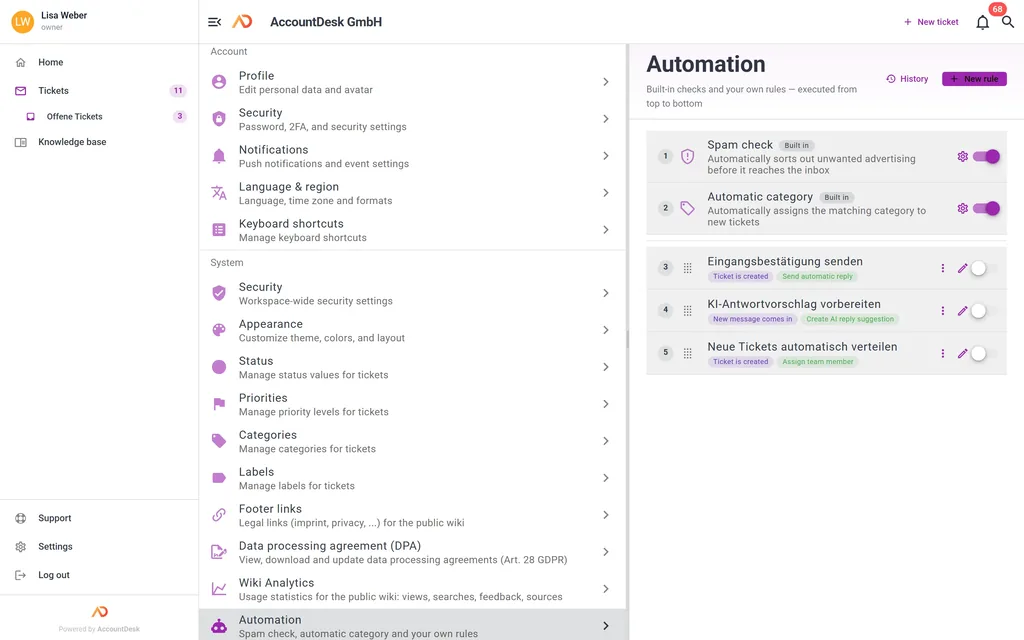
Rule-based triggers on ticket events, multi-step workflows, time-based follow-ups such as reminders and escalations, acknowledgements without human involvement, and webhooks that set external systems in motion.
Triggers
Rule-based actions on specific ticket events.
Workflows
Model multi-step processes in the rule editor, without a rigid corset.
Timed actions
Acknowledgement, reminder and escalation run on a schedule.
Auto-responders
Confirmations without human involvement, with a personal touch.
Escalation rules
Overdue tickets are escalated automatically on a timer.
Webhook triggers
Set external actions in motion, such as updating a CRM on a status change.
Which devices does AccountDesk run on?
In the browser on desktop, tablet and phone – and as an installable web app without an app store that feels like an application of its own.
Responsive web interface
Optimised for desktop, tablet and phone — the same application, adapted to the screen.
Installable web app
An app experience straight from the browser, with no app store in between.
Like an app on your computer
The installed web app opens in its own window, with its own icon and notifications.
On the go
On your phone you work with the installable web app.
How secure is AccountDesk?
Hosting in German data centres, end-to-end encrypted connections, two-factor authentication or passkeys, complete change logs, and daily encrypted backups, with an extra copy at a second location in the EU — at no extra cost.
DPA without paperwork
The Art. 28 GDPR data processing agreement is part of every contract and ready to use immediately.
AI analysis, self-operated
Categorisation, language and emotion detection and search stay on our own servers in Germany; draft replies use Mistral AI, processed in the EU.
Encrypted connections
Every connection is encrypted end to end.
2FA and passkeys
TOTP codes or passwordless passkeys as an additional layer at sign-in.
Change logs
Complete traceability of every change in the account.
Daily backups
Encrypted, with an extra copy kept with the same provider in Finland (EU).
Frequently asked questions
What ticket management features does AccountDesk offer?
AccountDesk offers a freely configurable priority system with six levels by default, customisable status workflows, automatic or manual assignment to agents and groups, watchers per ticket, attachments inside the conversation, a complete change history, bulk editing, ticket merging, reply templates with placeholders, configurable keyboard shortcuts and custom data fields without any programming.
How does automatic categorisation work in AccountDesk?
Automatic categorisation in AccountDesk assigns incoming tickets to the matching category semantically, without any rules having to be defined. The feature runs in the background and, like every AI feature, is included in the price per agent at no extra cost.
How many languages does AccountDesk detect?
AccountDesk detects 20 languages, and it does so per message rather than per ticket. The detected language appears as a marker in the ticket history, so agents immediately see which language a message was written in. Language detection is included in every plan at no extra cost.
How many emotions does the emotion analysis detect?
The emotion analysis in AccountDesk detects up to 28 emotions per message, ranging from gratitude to frustration. It is available for German and English and helps agents spot urgent or angry requests before they escalate. The feature is included at no extra cost.
Is AccountDesk available as a desktop or mobile app?
AccountDesk runs in the browser and is optimised for desktop, tablet and phone. You can install it as a web app – without going through an app store – and it then opens in its own window with its own icon. We currently do not offer separate desktop or mobile apps.
What does the AccountDesk knowledge base do?
The AccountDesk knowledge base manages guides and FAQs directly inside the ticketing system — internally for your team or publicly as a searchable help centre. It can run on your own domain including a TLS certificate, at no extra cost. Existing content from Freshdesk or Guru can be imported, and the articles serve as a source for the AI.
How does AccountDesk protect customer data?
AccountDesk hosts in German data centres, encrypts all connections end to end and offers two-factor authentication via TOTP or passwordless passkeys. Change logs make every action traceable, and daily encrypted backups are also kept with the same provider in Finland (EU). A data processing agreement under Art. 28 GDPR is part of every contract at no extra cost.
Every feature for 15 € per agent.
There are no tiers: every account gets the full product, AI-drafted replies included.